
Download Real Zip Pro – Free, Secure Archive Manager for Windows, Mac & Android
Real Zip Pro is a powerful, lightweight, and user-friendly file compression and extraction tool designed for users who need reliable performance across multiple platforms. Whether you're managing large datasets, organizing backups, or simply extracting ZIP files, Real Zip Pro delivers fast, secure, and intuitive file management. With support for over 20 archive formats—including 7-Zip, TAR, GZIP, RAR, ISO, and more—this software goes far beyond Windows’ built-in ZIP handling.
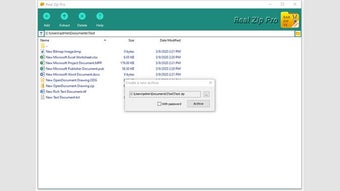
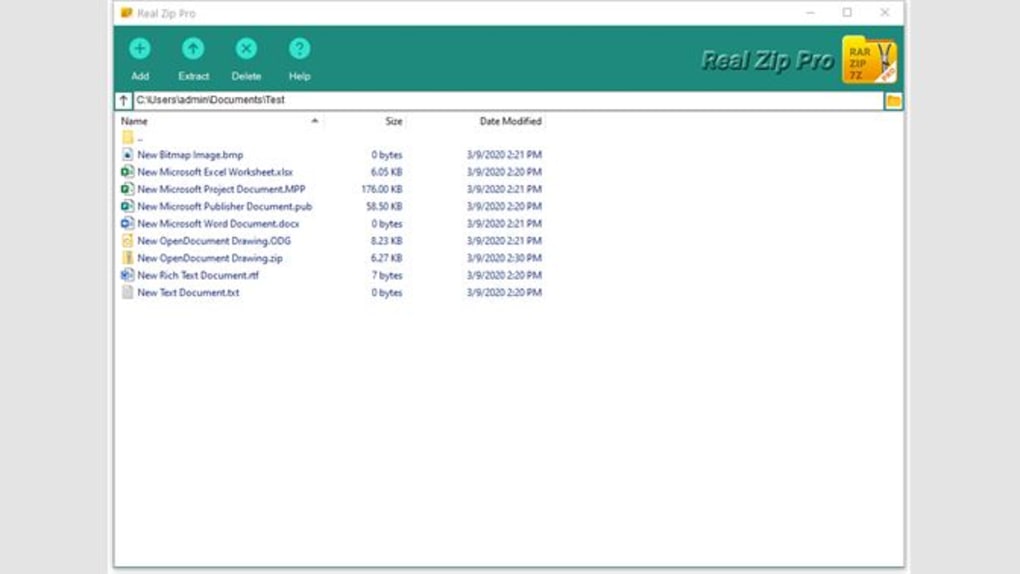
Its clean, Explorer-like interface makes navigation effortless, even for beginners. Real Zip Pro also includes advanced features such as file search by attributes, batch extraction, and secure encryption. It’s ideal for both personal and professional use, offering a seamless experience whether you're on Windows, Mac, or Android.
Download Real Zip Pro today and take full control of your digital files with a tool that’s fast, free, and always up to date.
Real Zip Pro: A Feature-Rich Archive Manager for Every User
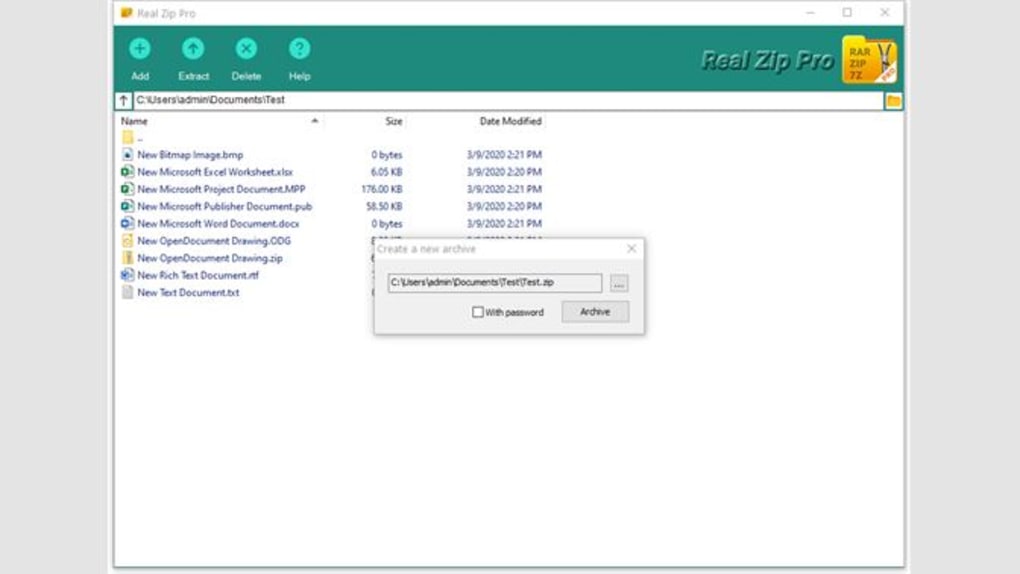
Real Zip Pro stands out in the crowded field of file compression tools thanks to its comprehensive feature set and seamless user experience. At its core, it allows users to extract and create archives in a wide variety of formats, including ZIP, 7Z, RAR, TAR, GZIP, ISO, and more. This versatility makes it a go-to solution for anyone dealing with diverse file types across different systems. One of its most praised features is the intuitive graphical user interface (GUI), which closely mimics the familiar layout of Windows Explorer. This design reduces the learning curve and ensures that even first-time users can navigate the software with confidence.
Beyond basic extraction and creation, Real Zip Pro includes powerful tools like batch processing, which enables users to extract multiple archives at once. This is a game-changer for professionals handling large volumes of compressed data. The built-in file search function lets you locate specific files within archives based on name, size, date, or type—saving hours of manual browsing.
Security is also a top priority: the software supports AES-256 encryption for sensitive files, ensuring your data remains protected. Additionally, Real Zip Pro integrates with the system’s right-click context menu, allowing one-click access from any folder. Whether you're a student managing project files, a freelancer organizing client data, or a business user handling backups, Real Zip Pro adapts to your workflow with ease.
Another standout feature is its ability to handle corrupted archives with partial recovery options. While not all files may be recoverable, the tool attempts to extract as much data as possible, minimizing data loss. Real Zip Pro also supports password-protected archives and allows users to set custom passwords during creation. With regular updates, the software maintains compatibility with new file formats and security standards, ensuring long-term reliability. These features collectively make Real Zip Pro a must-have utility for anyone serious about file management.
- Supports over 20 archive formats (ZIP, 7Z, RAR, TAR, GZIP, ISO, and more)
- Intuitive, Windows Explorer-like interface
- Batch extraction and compression for multiple files
- Advanced file search by name, size, date, and type
- AES-256 encryption for secure file protection
- Right-click context menu integration
- Partial recovery of corrupted archives
- Custom password creation and management
- Lightweight and fast performance
- Regular updates for compatibility and security
Easy Installation & Usage Across Windows, Mac, and Android
Getting started with Real Zip Pro is quick and hassle-free, whether you're using Windows, Mac, or Android. The download process is straightforward—simply visit the official website, select your operating system, and begin the installation. The installer is lightweight, typically under 20MB, and completes in seconds. During setup, users are prompted to choose installation preferences, such as desktop shortcuts and context menu integration. The entire process is guided, with clear instructions and no unnecessary steps, making it beginner-friendly.
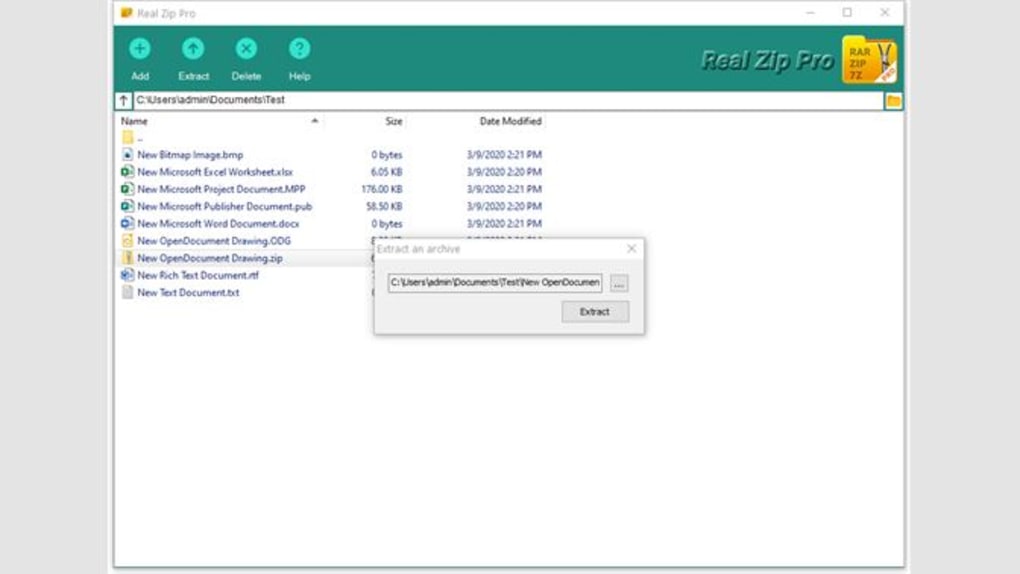
Once installed, Real Zip Pro launches instantly. The main window displays a dual-pane layout: the left panel shows your file system, while the right panel lists the contents of the selected archive. To extract a file, simply double-click the archive or drag it into the application window.
You can then choose the destination folder or extract all files at once. For creating new archives, select the files you want to compress, click “Create Archive,” and choose your preferred format and settings. The software automatically suggests optimal compression levels based on file type, but advanced users can fine-tune settings like compression ratio, encryption, and archive name.
On Android, Real Zip Pro offers a mobile-optimized version with touch-friendly controls. You can browse files from your device or cloud storage, extract archives on the go, and even share extracted files directly via email or messaging apps. The app syncs with your device’s file manager, ensuring a consistent experience across platforms. Real Zip Pro also supports cloud integration with Google Drive, Dropbox, and OneDrive, allowing seamless access to remote archives. Whether you're at your desk or on the move, Real Zip Pro ensures you never lose control of your files.
Compatibility & System Requirements
Real Zip Pro is designed for broad compatibility, supporting a wide range of operating systems. It runs smoothly on Windows 7 and later, including Windows 10 and Windows 11, with full 64-bit support. For Mac users, the software is compatible with macOS 10.14 (Mojave) and later, including Apple Silicon (M1/M2) Macs. This ensures optimal performance across both Intel and modern Apple processors. The Android version is available on devices running Android 8.0 (Oreo) and above, making it accessible to most modern smartphones and tablets.
System requirements are minimal, which contributes to its lightweight nature. On Windows and Mac, you’ll need at least 1 GB of RAM and 50 MB of free disk space. The app is optimized for low CPU usage, so it won’t slow down your system during heavy compression tasks. Real Zip Pro does not require administrator rights for basic operations, though some advanced features like system integration may prompt permission requests.
One of the software’s strengths is its cross-platform consistency. Files created on one device can be opened and managed seamlessly on another, thanks to standardized archive formats and shared settings. This makes Real Zip Pro ideal for users who work across multiple devices or collaborate with others using different systems. The developers also maintain a strong commitment to backward compatibility, ensuring older archive formats remain accessible even as new ones emerge.
- Windows 7, 8, 10, 11 (32-bit & 64-bit)
- macOS 10.14 (Mojave) and later (Intel & Apple Silicon)
- Android 8.0 (Oreo) and above
- 1 GB RAM, 50 MB free disk space
- Low CPU and memory usage
- Cloud storage integration (Google Drive, Dropbox, OneDrive)
Pros and Cons: Is Real Zip Pro Right for You?
Real Zip Pro offers a compelling mix of performance, features, and usability, but like any tool, it has its trade-offs. Here’s a balanced look at what makes it shine—and where it could improve.
Pros:
- Wide Format Support – Handles over 20 archive types, far exceeding basic ZIP tools.
- Intuitive Interface – Explorer-like layout ensures quick learning and ease of use.
- Fast & Lightweight – Minimal system resource usage, even during large operations.
- Secure Encryption – AES-256 encryption protects sensitive files.
- Batch Processing – Extract or compress multiple files at once, saving time.
- Cloud Integration – Access and manage archives from Google Drive, Dropbox, and OneDrive.
- Regular Updates – Consistent improvements and security patches.
Cons:
- No Built-in Cloud Backup – While it integrates with cloud storage, it doesn’t offer automatic backup features.
- Limited Free Version Features – Some advanced tools are locked behind a paid upgrade.
- Occasional Context Menu Glitches – Rare issues with right-click integration on older Windows systems.
Conclusion: Download Real Zip Pro Today
Real Zip Pro is a top-tier file management tool that combines power, simplicity, and security in one compact package. Whether you're a casual user extracting a few ZIP files or a professional managing complex archives, this software delivers reliable performance across Windows, Mac, and Android. Its rich feature set—ranging from batch processing and advanced search to AES-256 encryption—makes it a standout choice in a competitive market.
Best of all, Real Zip Pro is free to download and use, with optional premium upgrades for advanced users. With regular updates, strong compatibility, and a user-friendly design, it’s a software tool you can trust for years. If you're tired of Windows’ limited ZIP handling or frustrated with clunky third-party tools, Real Zip Pro is the solution you’ve been waiting for.
Download Real Zip Pro now and experience the future of file compression and extraction—fast, secure, and hassle-free.







